Finding free alternatives to Adobe Acrobat has become an absolute priority for businesses and individual users looking to handle official paperwork without paying expensive monthly subscriptions for Adobe Acrobat Pro. While Adobe's software remains an industry benchmark, multiple desktop tools and cloud platforms now offer robust editing, merging, and signing features without license fees.
If your primary goal is signing agreements with full legal validity without printing, be sure to review our guide on how to sign a PDF digitally without printing. Likewise, if you regularly work with heavy attachments before sharing them, learn how to reduce PDF file size without losing quality to avoid email bounce-backs.
Below, we examine the 3 best free alternatives to Adobe Acrobat to replace Acrobat, comparing their security capabilities, editing tools, and overall ease of use.
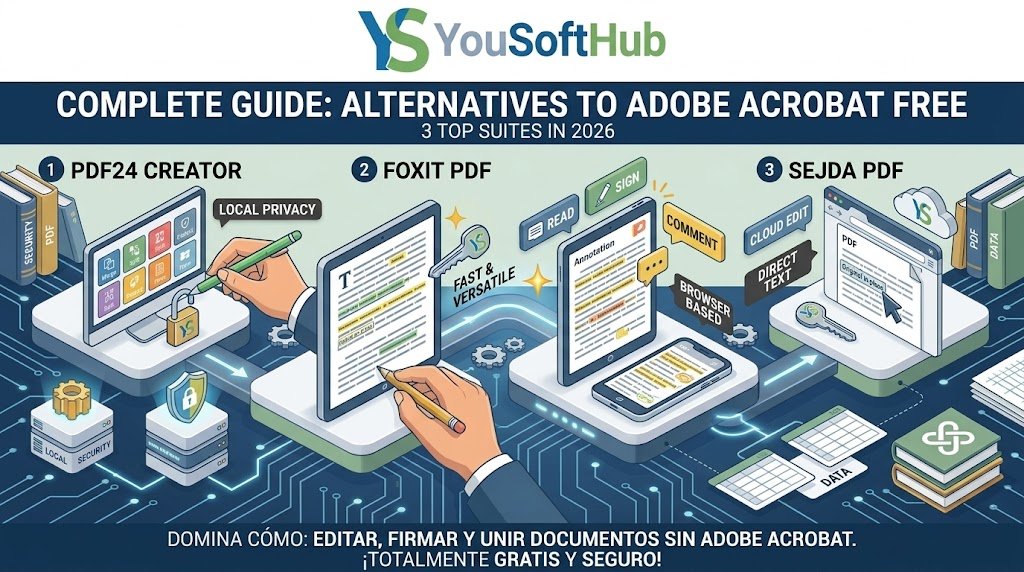
Table of Contents
1. PDF24 Creator: Top desktop free alternative to Adobe Acrobat
PDF24 Creator leads the list of free alternatives to Adobe Acrobat in corporate and administrative environments thanks to its 100% free model featuring zero paywalls and no intrusive watermarks:
- Local installation and total privacy: Runs entirely offline on your computer, positioning this software among the top free alternatives to Adobe Acrobat when handling sensitive contracts that must never leave your local network.
- Comprehensive toolkit: Allows organizing pages, rotating documents, extracting chapters, and performing batch conversions at high speed.
- Internal guide integration: If you need to bundle multiple separate reports into one single company dossier, this tool replicates the exact workflow to merge PDF files for free without software.
To check system requirements and install the ad-free offline application, visit the official portal of PDF24 Creator.
2. Foxit PDF Reader: Lightweight speed and robust annotations
Foxit is one of the most established and reliable contenders against Adobe's bulky viewer. When evaluating different free alternatives to Adobe Acrobat, Foxit stands out for launching complex documents instantly while consuming minimal RAM:
- Collaborative annotations: Includes smart highlighting, sticky notes, text callouts, and technical drawing tools ideal for reviewing architectural plans or draft contracts.
- Interactive form filling: Automatically recognizes form fields, letting you complete and validate forms without shifting document layouts.
- Quick handwriting signatures: Lets you save custom signature stamps to sign off on everyday approvals in just a couple of clicks.
3. Sejda PDF: Direct in-browser text editing in the cloud
The biggest drawback of most free viewers is the inability to modify existing text. As covered in our guide on how to edit text in a PDF without software, Sejda firmly establishes itself among the top free alternatives to Adobe Acrobat by fixing this issue straight from your browser:
- True typography editing: Automatically matches your original document's font style, allowing you to fix typos or change names without pasting white patches over text.
- Free tier usage limits: Supports up to 3 daily tasks and files up to 200 pages or 50 MB, making it one of the most practical free alternatives to Adobe Acrobat for everyday tasks.
- Handling locked files: If you receive a document protected against modifications, review our tutorial on how to convert protected PDF to Word for free before uploading it to any web editor.
Comparison table: Which of these free alternatives to Adobe Acrobat should you choose?
To determine which platform best matches your daily productivity requirements, check this technical feature summary:
| Tool | Operating Environment | Core Strength | Direct Text Editing |
|---|---|---|---|
| PDF24 Creator | Desktop (Offline) | Completely unlimited & private | Basic / Page management |
| Foxit PDF | Desktop & Mobile | Speed & annotation review | View & notes only |
| Sejda PDF | Web Browser / Cloud | Modifies existing original text | Yes (Advanced) |
Relying on solid free alternatives to Adobe Acrobat gives you complete autonomy over your digital files, cuts recurring overhead costs, and maintains professional documentation standards.
Related productivity guides
- Managing connected workbooks and audit tables? Discover how to freeze panes in Excel row and column to inspect wide spreadsheets comfortably.
- Safeguard your business calculation formulas by checking our guide on how to lock cells in Excel with password.
Pingback: Excel vs Google Sheets: Key Differences in 3 Top Areas